
Folder Watch
The Folder Watch tab shows conversion activity and watched-folder status in one place. It’s where you go to review what happened overnight, search a failing filename, or confirm that watching is actually running.
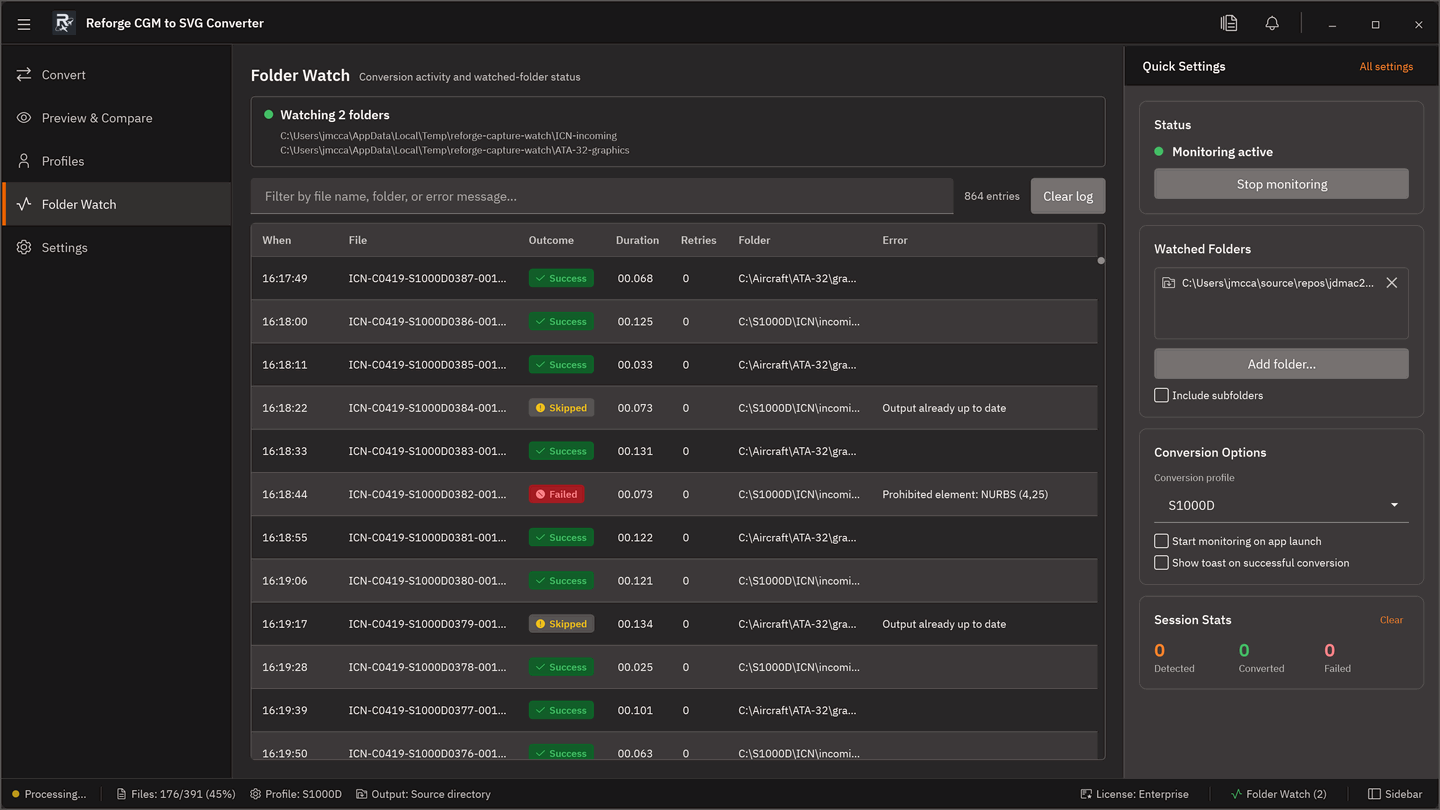
What the tab shows
| Area | What it does |
|---|---|
| Watch-state strip | Green dot when watching is active, grey when stopped. Lists the currently watched folders below the status line. |
| Search + Clear Log | Filter entries by filename, error message, or folder. Clear Log wipes the on-disk JSONL file after confirmation. |
| Log grid | One row per completed conversion: timestamp, file, outcome (Success / Failed / Skipped), duration, retry count, watched folder, error message. |
| Watch sidebar | Configure watched folders, destination, and auto-convert options without leaving the tab. |
Entries are appended as each conversion reaches a terminal state — including manual Convert-tab runs, CLI runs launched locally, and folder-watch auto-conversions.
The JSONL log file
Reforge persists the conversion log to:
%LOCALAPPDATA%\Reforge\monitor-log.jsonl
One JSON object per line. The tab loads the most recent 500 entries at startup and appends live as new conversions complete.
Entry schema
{
  "Timestamp": "2026-04-21T09:15:22.1234567Z",
  "FilePath": "C:\\cgm\\drawing-001.cgm",
  "OutputPath": "C:\\svg\\drawing-001.svg",
  "WatchedFolder": "C:\\cgm",
  "Outcome": 0,
  "Duration": "00:00:01.2340000",
  "RetryCount": 0,
  "ErrorMessage": null
}| Field | Notes |
|---|---|
Timestamp |
ISO-8601 UTC. |
FilePath |
Absolute path to the source CGM. |
OutputPath |
Absolute path to the written SVG. Empty when the conversion failed before write. |
WatchedFolder |
The folder-watch root, or empty string for manual runs. |
Outcome |
0 = Success, 1 = Failed, 2 = Skipped. |
Duration |
hh:mm:ss.fffffff. |
RetryCount |
Number of retries folder-watch performed before the terminal state. |
ErrorMessage |
Present only for Failed or Skipped entries. |
The file is plain JSONL, so you can tail it with Get-Content -Wait or pipe it into any JSON tool for post-hoc analysis.
What next?
- Settings > Folder Watch — detailed configuration for watched folders.
- Convert — start conversions from the tab whose results flow here.